Digital Process Automation

Intelligent Business
Workflows

Establish digital business processes by defining how tasks are completed, by whom, and in what order to achieve maximum productivity and efficiency.

🛠️ Designer App
Productivity Gains
🎯 Task Assignment
📊 Process Mapping
Core Framework

Establishing
Digital Processes

Workflows allow an organization to create and establish digital business processes by describing how the tasks are done, by whom, in what order and how quickly to achieve productivity gains, and improved efficiency and customer service.

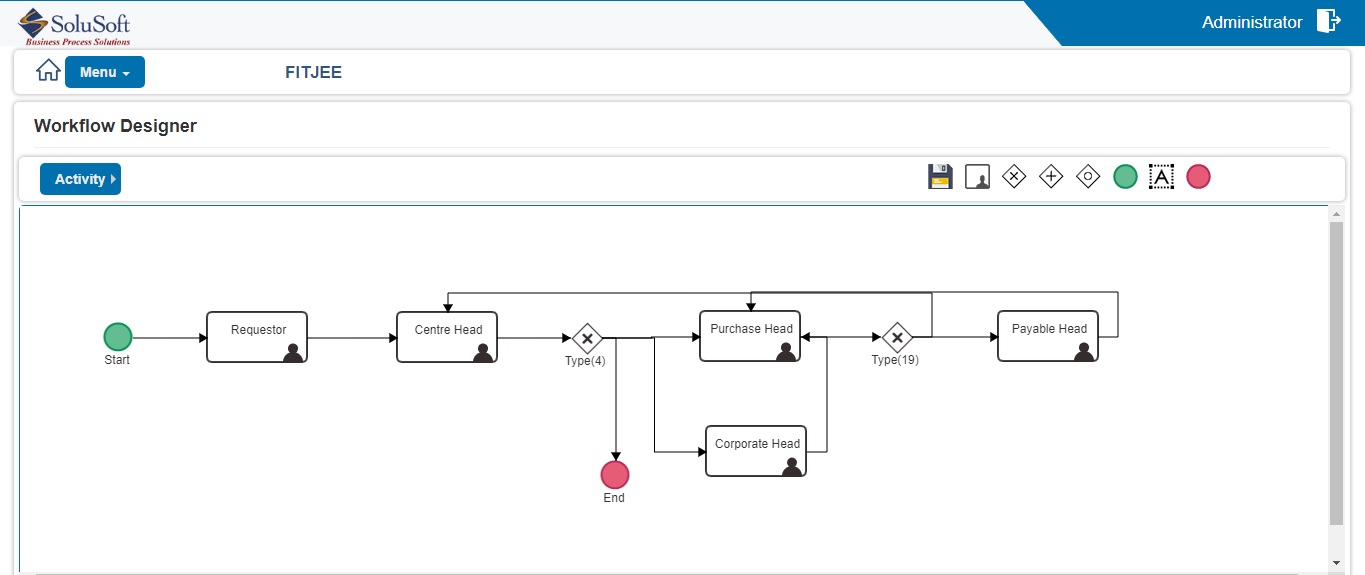
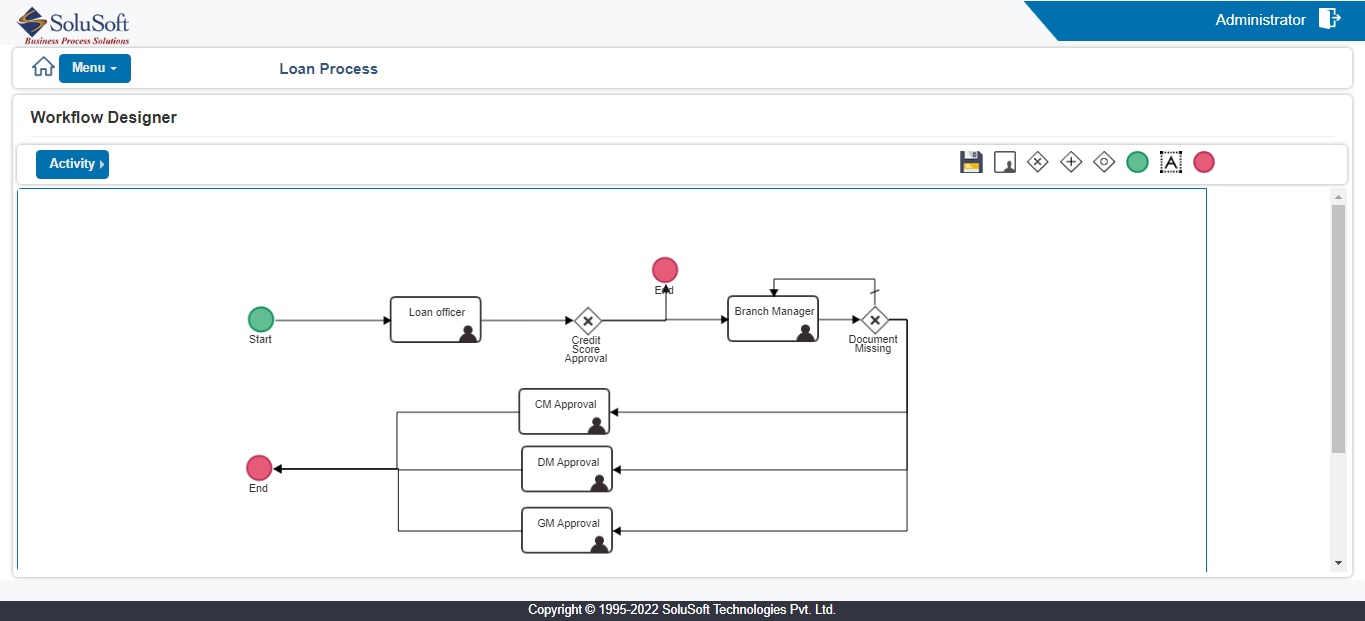
A workflow process map (route) can be designed and published using the Workflow Designer application. Each step of the process can be assigned to a different business function where users perform required tasks.

The SoluSoft N2 Advantage

SoluSoft N2WDMS provides three specialized workflow types for information and task distribution according to your rules and policies:

  • • Hierarchical: Tree-based parent-child routing.
  • • Rule Based: Graphical design with activity queues.
  • • Free Flow: Template-based flexible processing.
Distribution Models

Workflow Types

🌲

Hierarchical Workflow

Administrators set a user hierarchy displayed as a tree structure. Work items are routed using a parent-child structure.

  • • Parent-child role processing
  • • Route to parent or child
  • • Workflow item history view
  • • Criteria-based searching
⚖️

Rule Based Workflow

Users are presented with items at activity queues. Designed using the graphical N2WDMS Workflow Designer.

  • • List-based activity queues
  • • Graphical process definition
  • • Pass to next activity queue
  • • Instantiate new work items
🌊

Free Flow Workflow

Any permitted N2 user can start a new workflow using templates they have access to for flexible processing.

  • • Template-based initiation
  • • Pass along work items
  • • View real-time workflow status
  • • Permitted item deletion
Platform Capabilities

Workflow Core Features

📂

Workitem Operations

  • • Create Workitem
  • • Index and Re-Index Workitem
  • • Search Workitem
  • • Pend / Auto match / Auto Un-pend
  • • Close / Reopen Workitem
  • • Track Workitem History
⚙️

Automation & Flow

  • • Map Business Process & Configure
  • • Configure Straight Through Processing
  • • Distribute to User or Work Step
  • • Escalate Workitem
  • • Process Workitem Tasks
  • • Delegate Task To an Expert
☁️

Content Management

  • • Upload / Download Content
  • • Multi-file Format Viewer
  • • Manage Version and History
  • • Update Workitem Metadata
  • • Document & Task CheckList
  • • Add Notes to Workitem
🖥️

Interface & Access

  • • Persona based User Interface
  • • Form Layout & Dynamic Views
  • • Provide Breadcrumb Navigation
  • • Favorites and Recent Query
  • • Access via Web or Mobile App
  • • Secure Portal for Public Use
📝

Interaction

  • • Assign / Reassign Workitem
  • • Link Entity to Workitem
  • • Create Correspondence
  • • Send Email Notifications
  • • Workitem Dashboard View
  • • Collaborative Tasking
📊

Analytics & Integration

  • • Generate Reports and Analytics
  • • Integrate with In-house Systems
  • • 3rd Party System Integration
  • • Email System Connectivity
  • • Real-time Process Intelligence
  • • Detailed Audit Logging
Interface Preview

Application Screenshots
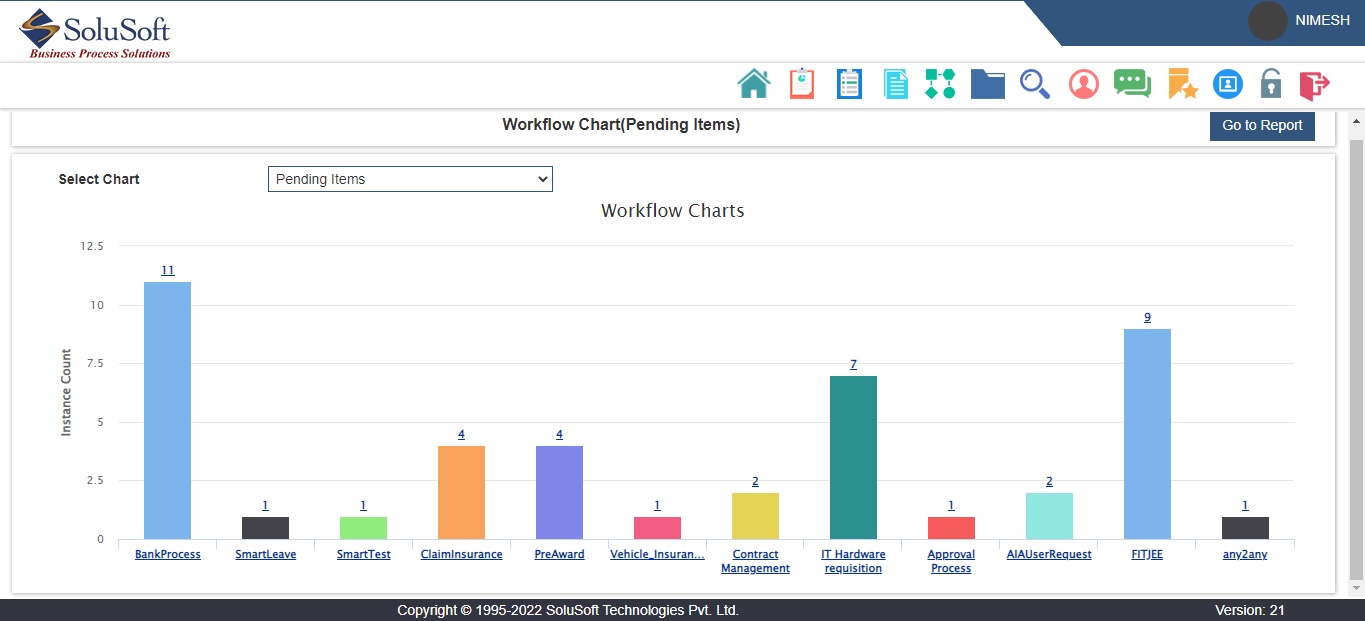
Workflow Dashboard
Process Map
Task Queue
Analytics View